Court Calendar information for Kane County is instantly searchable, letting you pinpoint hearing time, courtroom location, and presiding judge with a single query. By entering a case number or party name, the system reveals the hearing schedule, calendar status codes, and any upcoming court dates, helping attorneys and the public avoid missed appearances. The interface pulls from official court docket records, ensuring the data matches the latest court hearing schedule and reflects any recent rescheduling.
Court Calendar tools also support remote access, offering virtual hearing links and clear guidance on in‑person attendance rules. Users can verify a rescheduled court date, check if a hearing is sealed, or locate a specific court date lookup by judge. The platform updates daily, so searching for court calendar by date or by case number provides the most current court proceedings schedule, reducing uncertainty and streamlining case management.
How to Search Court Calendar
The official Court Calendar for Kane County links scheduled hearing events to case records kept by the Circuit Clerk. Additionally, official court docket resources help verify that a case number or listed party name search can locate the hearing date, time, courtroom, event label, and presiding judge. Its main purpose is to help a party, attorney, or member of the public verify which court appearance is posted. A calendar result can change, so check it again near the hearing date.
Official Search Portal: https://cic.countyofkane.org/Pages/Online-Court-Records.aspx
Steps to Search
- Open the official Online Court Records page and follow the public court calendar or court-records search link.
- Select Calendar Search, then set Kane County and a date or date range that includes the court date you need.
- Enter a full case number, exact listed party name, or judge name in the matching search field.
- Run the search and compare the case number, parties, date, event label, and judge before opening a result.
- Open the matching event to check the hearing time, courtroom, status, and any remote-hearing note. Recheck the result close to the appearance and contact the Circuit Clerk if entries conflict.
Court Schedule Details
A court calendar is a list of set events rather than a full case file. Use it to answer when a hearing is posted, where it is assigned, which judge is named, and what type of event appears. Use the related case record for available filings, orders, minutes, and the history of the event. The two views work best together because a short calendar label rarely tells the whole story of a case.
Date and Judge Searches
A date-and-judge search helps a person find upcoming court dates without knowing a case number. Choose the court date first, then scan the posted events for the judge. A judge search can produce several cases heard before that judge, so confirm the case number and party names before treating one result as the right hearing. A broader date range can help when the expected date falls on a continuance date rather than the original setting.
Hearing Time and Courtroom
The date and time identify the scheduled event. The courtroom or venue shows where an in-person hearing is assigned. Read those fields together, since a date can have several hearings with different rooms or judges. A remote event may use the same date and time without a physical courtroom. Follow any separate arrival, check-in, or participation instruction tied to that event.
Case Number and Listed Parties
The case number is the most direct link between a calendar entry and the court case. Listed party names give you a second way to confirm that the result belongs to the right matter. A name search often returns several records, especially when a party name is common or similar to another party’s name. Compare the full case number and all listed parties with the case documents before acting on the schedule.
Hearing Type and Presiding Judge
The hearing type identifies the procedural step shown on the calendar, such as a motion hearing, pretrial hearing, trial, or sentencing. The presiding judge field identifies the judge listed for that event. A schedule change can carry a new date, courtroom, or judge, so compare the event with the latest notice or order in the case record. An assigned judge can change, and an older calendar entry may remain visible until the change is processed.
Calendar Status Codes
Some calendar entries carry a status code or short status label. The code gives a quick processing flag, yet a code by itself may not explain what happened to the hearing. Read the full event text, the status wording, and any related filing before drawing a conclusion. If the code and the case record do not agree, keep the case number and event details ready for a call to the Circuit Clerk.
Court Calendar and Case Docket Records
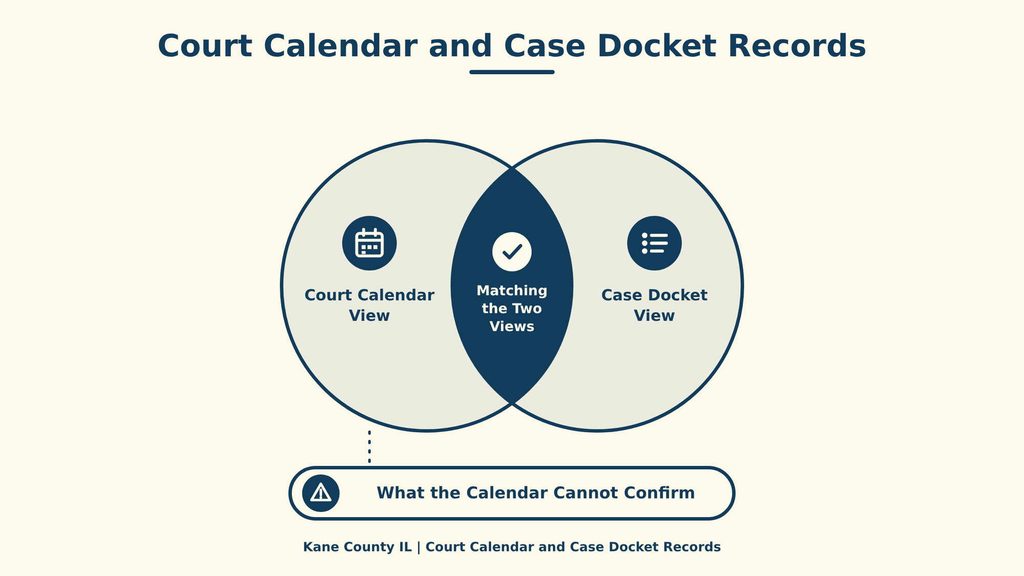
The Court Calendar and the court docket serve different purposes. The calendar is built for finding a scheduled hearing by case number, party, date, or judge. The docket follows the case and its filed activity. A calendar search answers the immediate scheduling question, while the related docket shows the legal events that produced the listed appearance.
Court Calendar View
A calendar result centers on a hearing setting. It normally includes a date and time, case number, parties, courtroom, event label, and judge, with status or remote-hearing details on some entries. These fields support identification and planning. They do not contain the full claims, motions, evidence, or reasons for the hearing.
Case Docket View
A docket follows the case over time. It can show a filed notice, a continuance, an order, a called hearing, or another event tied to the case. That history can explain why a date moved or why a calendar entry carries a status code. It can also reveal a filing that a person searching only by date might miss.
What the Calendar Cannot Confirm
A calendar entry does not prove that every document was served, that a requested order was granted, or that a case has settled. It does not set the legal purpose of a hearing beyond the posted label, excuse a missed appearance, or grant permission to take part in a remote proceeding. A party who needs one of those answers should review the docket, written notice, and court order. This distinction keeps a quick schedule lookup from being mistaken for a complete case review.
Matching the Two Views
Start with the calendar to locate the next scheduled appearance, then use the case number to open the related docket. Compare the newest visible docket entries with the calendar event, its status, and any written notice. If the two views differ, record the exact dates, times, rooms, and event labels before asking the Circuit Clerk to clarify the public calendar. That comparison gives staff a clear basis for the review.
Types of Court Hearings
Kane County court calendars contain many event types because one case can move through several stages. The event label and case type work together. A label such as “trial” appears in different legal settings, while the case type shows whether the matter sits in a civil, criminal, or family docket. Search by case number for the clearest match, then read the label tied to the date you are checking.
Civil, Criminal, and Family Dockets
A civil docket covers a dispute between parties and may contain status, motion, and trial events. A criminal docket covers a case brought by the State and may contain arraignment, pretrial, trial, and sentencing events. A family docket covers family-law matters and may contain motion or trial events. These labels describe the stage of a case, not the full facts of the dispute or charge.
Arraignments and Pretrial Hearings
An arraignment is a formal criminal appearance at which the defendant enters a plea to the charge. For public reference, official court guide listings indicate that a pretrial hearing may address case status and issues that need resolution before trial. Some calendars list the two as separate events with different dates, judges, or rooms. The event title may omit the full purpose of the appearance, so the case record or written notice should supply that detail.
Motions, Trials, and Sentencings
A motion hearing lets the court consider a requested order or other relief. A trial is the stage at which evidence and disputed legal issues are decided, though some trials resolve legal issues alone. A sentencing hearing follows a conviction or a plea for sentence. A calendar entry can identify the date and label without summarizing the requested relief, exhibits, or sentence terms, which means the related filings and orders hold those details.
Schedule Changes and Remote Hearing Options
A posted hearing can move after the calendar first shows it. Case activity, a continuance order, a judge assignment, or a courtroom change can alter the plan. Remote-hearing notes can also change as the court prepares the event. The calendar result and the related case record should be read together, with written notices and orders used to resolve any conflict.
Rescheduled and Continued Hearings
A rescheduled hearing has moved to a different date, time, courtroom, or some combination of those fields. A continued hearing has been postponed and may have a later setting. The portal can show a new event, a revised status, or an event note for that change. The case number and party names often stay the same, so compare the date and label before treating a new row as a separate case. If old and new entries both appear, check the case record and ask the Circuit Clerk to clarify the conflict. A continuance does not by itself cancel the case.
In-Person Attendance Rules
An in-person event requires an appearance at the location assigned to that hearing unless a court order says otherwise. The calendar listing does not excuse a missed appearance. Follow any notice, order, or event instruction that addresses attendance, and check for later notices before traveling. The Circuit Clerk office address shown at the end of this page is an office contact, not a hearing venue. Use the courtroom and venue listed for the specific event.
Virtual Hearing Links
A remote hearing may include a virtual hearing link or a participation note in the calendar entry. Open the current event and read the posted terms before the start time. A public viewing link does not grant permission for a party to speak or participate, and some matters can remain closed even when the event uses remote technology. A saved link can expire or change, so use the link on the current calendar result rather than one taken from an earlier notice. If the event says remote but shows no link, review the case notice or contact the Circuit Clerk.
Schedule Accuracy and Resolution
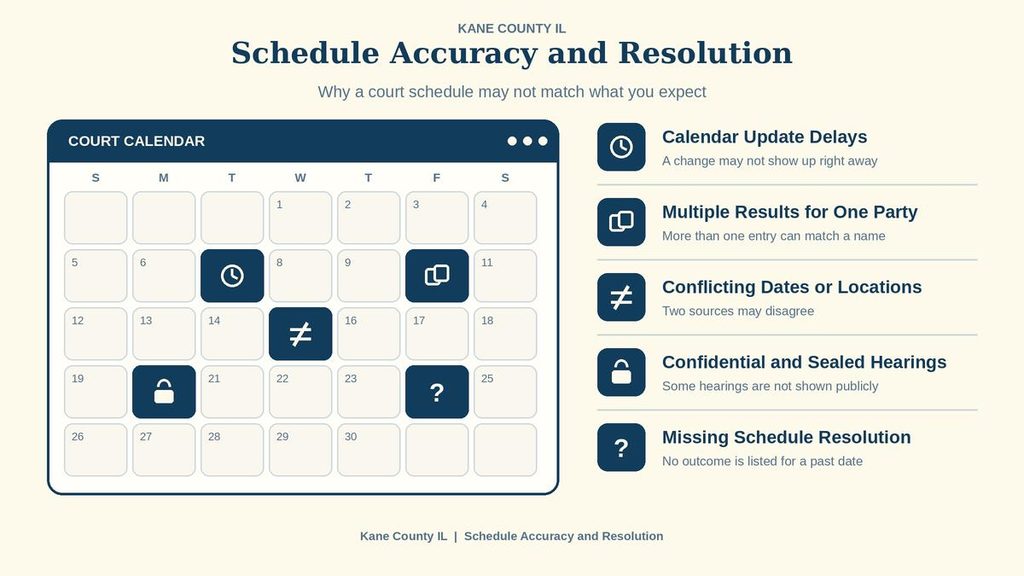
A reliable court date depends on the right search term, recent calendar updates, and a careful match with the case record. A missing or conflicting result should be checked before a party treats a hearing as moved or canceled. The checks below help narrow the cause and give the Circuit Clerk the details needed for a quick review.
Calendar Update Delays
The Kane County portal posts daily updates. Even with that posting cycle, a late docket entry, continuance, room change, or hearing that has already taken place can leave a result out of step with the case record. A reopened result may show a later status. Check the case record close to the hearing date, and contact the Circuit Clerk before the appearance if two dates conflict. The earlier calendar date should not be treated as active until the change is clear.
Multiple Results for One Party
A party-name search can match more than one case. Separate records may contain the same person, a related family member, a business name, or a similar surname. Compare each result’s case number, hearing type, and judge with the papers. Never treat a matching name as proof that two records concern the same dispute. Narrow the date range or use the full case number once the correct row is found.
Conflicting Dates or Locations
A conflict can appear when one entry has not been replaced after a change. Compare the event with the most recent notice, order, or docket entry you can see, then check whether the calendar shows a revised status. Do not choose one entry based on its position in the list. The written notice and current case record should be reviewed with the calendar before a party acts. If the public views still differ, ask the Circuit Clerk to compare the exact details and identify the current calendar entry.
Confidential and Sealed Hearings
A public calendar may leave out a name, event detail, or an entire matter because of confidentiality or a sealing order. A missing entry can mean the matter is protected, has not been posted, falls outside the selected criteria, or has no hearing set. Absence from the calendar does not prove that a hearing was canceled. Ask the Circuit Clerk whether a public record exists for the matter and which details can be released.
Missing Schedule Resolution
Use a short verification sequence before treating a missing hearing as canceled. Keep the case documents nearby and compare each search result with written notices and orders.
- Use the complete case number exactly as it appears on the case document or notice.
- Try the listed party name in the party search field and check each matching case number.
- Expand the date range, then check a court schedule by date or by judge.
- Open the case record and review available notices, continuance entries, minutes, and orders.
- Look for the event on the judge’s schedule when a courtroom or assignment may have changed.
- Contact the Circuit Clerk before the deadline and provide the case number, hearing date, judge, and event type.
Contact Information
Use the main office contact below for questions about Kane County court calendar results or public court records. Have the case number and hearing date ready when calling so staff can locate the correct record. You may also provide the case type and names listed on the court documents to help narrow the search. For recent filings or schedule changes, confirm the details directly with the relevant court office. Court calendars may change due to continuances, cancellations, or updated hearing arrangements. Check the latest available information before relying on a scheduled date.
Frequently Asked Questions
The Kane County Court Calendar shows upcoming hearings, dates, judges, and courtroom numbers. It helps parties, lawyers, and the public confirm when a case will be heard. Information updates regularly, so checking close to the hearing date is wise. Use the online portal or call the Circuit Clerk office for assistance.
How can I find a court date using a case number on the Kane County court calendar?
Visit the official online portal, enter the case number in the search box, and click Search. The system returns the hearing date, time, courtroom, and judge. Write down the details and verify again a few days before the hearing. If the case number is unknown, you can search by party name.
What steps do I follow to look up a hearing schedule by party name?
Open the court calendar page and select the “Party Name” option. Type the full or partial name, then press Search. Results list all scheduled events for that name, showing date, time, and location. Use the filter to narrow results by date or judge if needed.
Can I view the court docket for a specific judge’s schedule?
Yes. Choose the “Judge” tab on the search page, pick the judge’s name from the dropdown, and submit. The page displays every hearing assigned to that judge, including case numbers and courtroom numbers. This view helps attorneys plan around a judge’s busy days.
How do I check for changes to an upcoming court hearing?
Return to the calendar search with the same case number or party name a day before the hearing. Updated entries appear in bold or with a “Rescheduled” note. For urgent changes, call the Circuit Clerk at 630‑232‑3413 during office hours.
What options are available if I cannot find my court date online?
Call the Circuit Clerk office at 630‑232‑3413 and provide the case number or party name. Staff can confirm the hearing details or guide you to the correct record location. You may also visit the clerk’s office at 540 S. Randall Road, St. Charles, IL, during business hours.